
When an aluminum saw blade feed stalls mid-cut, treat the pause as a cycle observation rather than a diagnosis. The blade may enter a profile, pause as the engaged section changes, and then resume or retract. Before changing a feed value, record exactly where motion stopped, whether the spindle kept turning, and what the controller displayed. Those observations separate a material-load question from a command, interlock, or drive question.
This guide is for production and purchasing teams preparing a useful handoff to the machine supplier. It does not prescribe a feed speed, hydraulic pressure, or override for an unverified machine. The correct limit depends on the machine configuration, blade, profile, support and approved operating procedure.
When an aluminum saw blade feed stalls, locate the pause
A hollow extrusion does not present the same tooth contact throughout a stroke. The entry wall, open center, far wall and final exit are different engagement points. Sketch the section and mark the blade path. A pause at the far wall is a different report from a pause before the blade ever reaches the stock. Also distinguish blade advance from the length-feeding carriage: the latter moves the stock between cuts. Our length-feed reversal guide addresses that separate axis.
With guards in place and from the operator’s normal viewing position, note whether the event repeats at the same physical point on one section or occurs at changing points across several sections. Log the profile drawing, alloy and temper if known, wall pattern, orientation, bundle or single-piece setup, and whether the first-off cut was acceptable. A repeatable contact point suggests a different investigation from an intermittent pause with no clear relation to the section. Neither pattern alone proves the cause.

Separate commanded motion from cutting resistance
Use the machine’s own approved diagnostics and operator display. Record the program step and alarm text or code verbatim, then report whether the spindle was rotating, the cut unit was commanded to advance, and the guard and clamp indications were normal. Do not infer that a rotating spindle means the advance command remained active. A dwell, interlock, limit signal or drive fault can interrupt advance while the blade motor still runs, depending on the control design.

If advance is commanded but blade motion changes under load, the supplier can review cutting conditions and feed hardware. If the controller withdraws the command or reports an interlock, the supplier can start with sequence and signal evidence. If the blade motor itself trips, use the separate motor-overload evidence guide. These are triage branches, not instructions to defeat a guard or alter a circuit.
Compare the first wall, open center and second wall
Record a simple cycle timeline: clamp confirmed; spindle at operating state; blade enters first wall; blade crosses the opening; blade approaches the second wall; cut completes; retract begins. Note the time of a pause against those landmarks. A video taken from a safe, approved position may help the supplier see motion and sound together, provided it does not expose anyone to the cutting zone. Avoid calling every change in visible speed a fault: some machines deliberately use different feed behavior across a stroke.
The relationship between blade feed, spindle speed and tooth count matters to chip thickness. A blade maker’s technical explanation of feed per tooth shows why changing one setting in isolation is a poor diagnostic shortcut. It does not supply a Jiurun setting or establish that excessive feed caused this event. Ask for the approved blade and section combination before any setting change.
Check blade identity and condition through the approved procedure
From the maintenance record, capture blade diameter, tooth count, tooth geometry, part number, installation date and any documented regrind or replacement. Record whether cut quality changed before the pause: unusual burr, a change in chip appearance, noise or heat may be useful context. A visual photo of the installed blade is only evidence when it is taken under the machine’s approved isolation procedure and shows the relevant feature clearly. Do not label a blade dull from an unrelated catalog image.
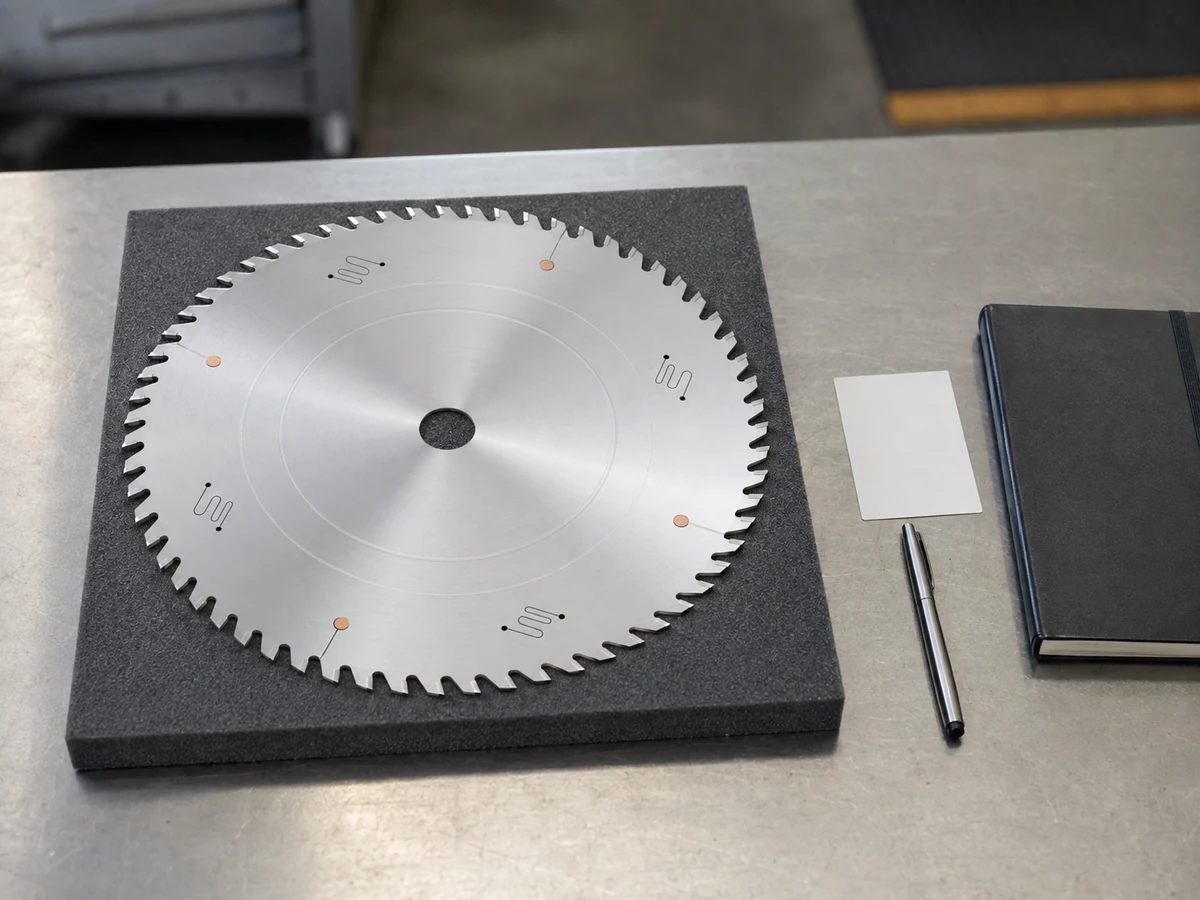
Blade inspection, chip removal and tool changes can expose workers to stored motion and energy. Follow the site’s machine-specific isolation procedure and use authorized maintenance personnel. OSHA’s hazardous-energy guidance identifies electrical, mechanical, hydraulic and pneumatic sources as possible servicing hazards. Do not reach through a guard to free a cut or rely on a stopped spindle as proof that all stored energy is controlled.
Bring the profile and support conditions into the review
A profile can shift or vibrate when blade contact moves from one wall to another. Record where the section is supported, which surface is clamped, how far the workpiece projects, and whether a short offcut has independent support. Do not compensate by adding clamp force without checking the thin-wall distortion limit. The clamp closing-speed article covers how the clamp reaches contact before cutting; this investigation asks whether the work remains supported through the full blade path.
Jiurun’s semi-automatic saw product page describes options that depend on the configuration and profile. Use the actual machine manual and build sheet to establish whether blade advance is hydraulic, pneumatic, servo driven or another design. A photograph of a different Jiurun machine cannot answer that configuration question.
Send a reproducible case, not a guessed adjustment
- Machine and blade: nameplate/model, controller version if available, blade part number and service history.
- Workpiece: section drawing, alloy and temper if known, wall layout, orientation, length and support arrangement.
- Event: exact pause point in the blade path, repeat count, controller step, alarm text and whether spindle and feed commands remained active.
- Output: first-off length, squareness, burr or visible deformation observations, plus photos of the cut face when safe.
- Change log: blade, profile, program, lubrication, maintenance or shift changes since the last acceptable cut.
When an aluminum saw blade feed stalls again, ask the supplier to identify the first test that will separate control sequence, feed mechanism, blade condition and profile engagement. Request an approved first-off acceptance check before production resumes. If the issue appears only on one profile, include a drawing and a representative sample in the review. If it follows the machine across profiles, show that comparison as well. Either answer is more useful than “feed is too slow.”
Watch an equipment example with the right limitation
The following clip is from Jiurun Machinery’s own channel. It shows an automatic aluminum saw’s stock-feeding and guarded cutting area. It does not document the mid-cut pause discussed here, prove a feed setting, or identify the machine in a customer’s report.
Need help comparing a saw configuration with your profile? Send Jiurun the section drawing, blade specification and the five-part event record above through the contact page. Ask for a configuration-specific review and a safe first-off test plan, not an unverified universal feed number.