
An aluminum saw feeder overtravel alarm can stop production even when the stock looks clear of the end of the rack. The useful first question is not “Which switch should we replace?” It is “What did the control actually report, and where was the axis when it happened?” A software position boundary, a hardware limit input and a mechanical obstruction can lead to different investigations. Treat the stopped machine as a hold point until the fault is identified and the travel path is made safe by qualified personnel.
This guide is for maintenance leads and buyers evaluating an automatic aluminum profile cutting line. It explains what evidence to capture, how to frame an OEM support request, and what to check before accepting parts from the restarted line. It does not identify the limit hardware or recovery sequence on any particular Jiurun model; those details require the machine’s own drawings, parameter backup and instructions.
Three different meanings behind “overtravel”
A control may compare commanded or actual axis position with a configured software travel range. A separate physical limit device may signal that a carriage reached an end zone. The saw can also stop on a following error, homing fault or drive fault that an operator describes informally as overtravel. Read the exact alarm code and active input status before grouping these events together.
- Software boundary: Ask which coordinate and limit were active, whether the axis was homed, and whether the stored limits or work offset changed. The displayed position is evidence to record, not a reason to edit a parameter on the shop floor.
- Hardware limit input: Record the named input, its state, and whether the stop occurred during forward feed, return or homing. A triggered input can be real, misaligned or electrical; appearance alone does not decide.
- Physical or motion problem: Stock, chips, clamps, cable carriers and carriage guides can affect travel. Do not force a carriage or repeatedly command motion to “see if it clears.”
Beckhoff’s software-limit documentation describes position-based travel limits. Siemens’ motion control manual distinguishes software limits, hardware limits and the end stop. These are general control concepts, not a statement about the controller fitted to the saw in your plant.
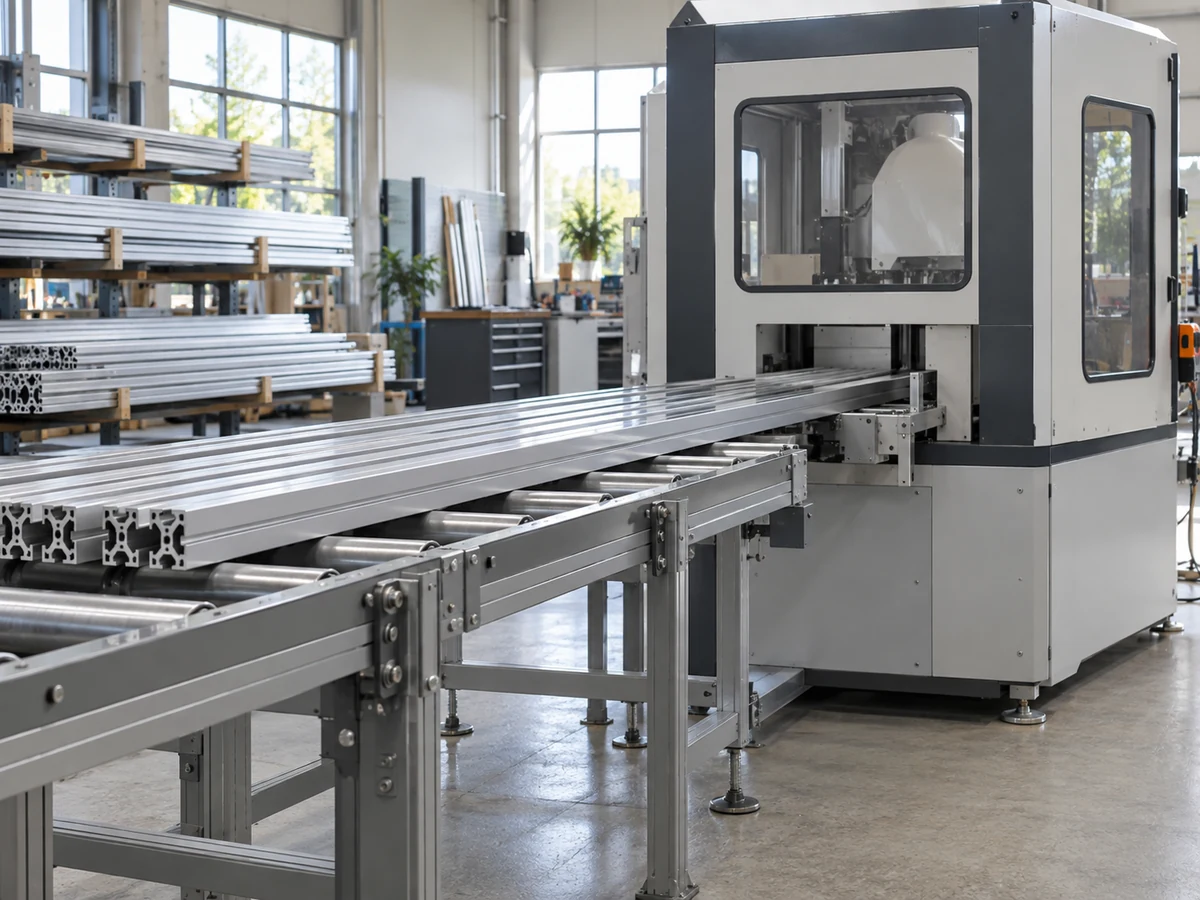
Capture the stopped state before it disappears
If plant safety procedures allow observation without entering a hazardous area, photograph the alarm screen and record the time, axis name, program, cut length, stock dimensions and feed direction. Note whether the alarm appeared during initial homing, the first part, a repeat cycle, a long stroke or a return move. Capture any companion drive or safety alarms. A sequence matters more than a single screenshot: the same alarm at one repeatable coordinate suggests a different investigation from a fault that appears randomly.
Record the displayed commanded and actual position, limit input state, homed status, and any recent change to tooling, clamps, material support, parameters or maintenance. Preserve the control’s event log and parameter backup through the approved site procedure. If the line has already been reset, say so explicitly in the service request. Do not reconstruct a lost fault state from memory as if it were measured.
Inspect the travel envelope, then diagnose the signal
Follow the machine’s isolation and access instructions before a qualified technician inspects the feed path. A practical inspection covers stock protrusion, supports, stop positions, clamp clearance, chip buildup, cable routing, carriage guides and evidence of a hard contact. The safe access method and any permitted recovery motion come from the OEM and the site’s safety procedure, not from a generic web article.
If the actual carriage is clear but a hardware input remains active, the technician can trace the input using the wiring diagram and approved diagnostic method. If the alarm is a software limit, compare the position display, homing state and authorized parameter record. If the axis position is uncertain, preserve the uncertainty and ask the OEM what reference and verification are required. Never bridge a limit, enlarge a travel boundary or disable an interlock just to restart production.
A short video for the feed layout, not the fault
The following video from the Jiurun Machinery channel shows a guarded automatic aluminum cutter and long-profile feeding arrangement. It is a related equipment view only. It does not demonstrate an overtravel alarm, identify installed limit devices, prove a recovery method or establish the configuration of a customer’s machine.
What to send the OEM before approving a restart
Send the exact alarm text and code, timestamp, machine serial number, control and drive identification from the actual nameplates, axis involved, point in the cycle, material size, photographs of the stopped position, and the event or parameter records available under your plant policy. Describe any recent adjustment and any observed contact or obstruction. Ask the OEM to identify the limit type, approved recovery sequence, checks for lost position, and conditions for a supervised trial. A clear request saves rounds of speculative parts replacement.
For buying or service planning, also ask whether the diagnosis requires a technician on site, a wiring diagram revision, a parameter backup, a replacement sensor, or a mechanical inspection. Those are questions to resolve against the actual machine. A supplier’s general brochure cannot prove an installed control option.
Release the parts, not just the alarm
A cleared overtravel alarm is one milestone. Before normal production, the responsible team should document the approved repair, check that the axis references and travels as instructed, run a supervised cycle, and inspect the first pieces against the job drawing. Check cut length, squareness or mitre angle as applicable, burrs, visible damage and the last good part before the fault. If material shifted in the feeder, segregate potentially affected pieces until inspection closes the gap.

Keep the alarm record, findings, authorized changes and first-piece results together. If the same overtravel alarm returns, compare the new timestamp and position with the original record rather than treating each stop as an unrelated nuisance. For a separate discussion of home-position faults, see our feed-carriage homing guide; for position feedback issues, see the linear encoder contamination guide. These nearby topics do not replace the current alarm diagnosis.
Sources and next step
The distinction between software and hardware travel checking is supported by Beckhoff’s software limit switch documentation and the Siemens S7-1500 Motion Control manual. Their procedures apply to the equipment described in those manuals; use your installed machine’s documentation for action.
If you are reviewing an aluminum saw or need support for an existing line, contact JiurunCut with the machine identification, material and cut requirements, and the fault record above. We can discuss the right technical questions without treating a generic alarm as proof of a failed component.