
Aluminum saw magazine replenishment is the moment a line runs out of ready stock and someone must present the next approved bars. A quoted magazine capacity tells you how much stock may fit in a specified arrangement. It does not tell you who reloads it, whether cutting pauses, how a partly consumed bar is treated, or what evidence allows a restart. Define those boundaries before buying an automatic cutting line.
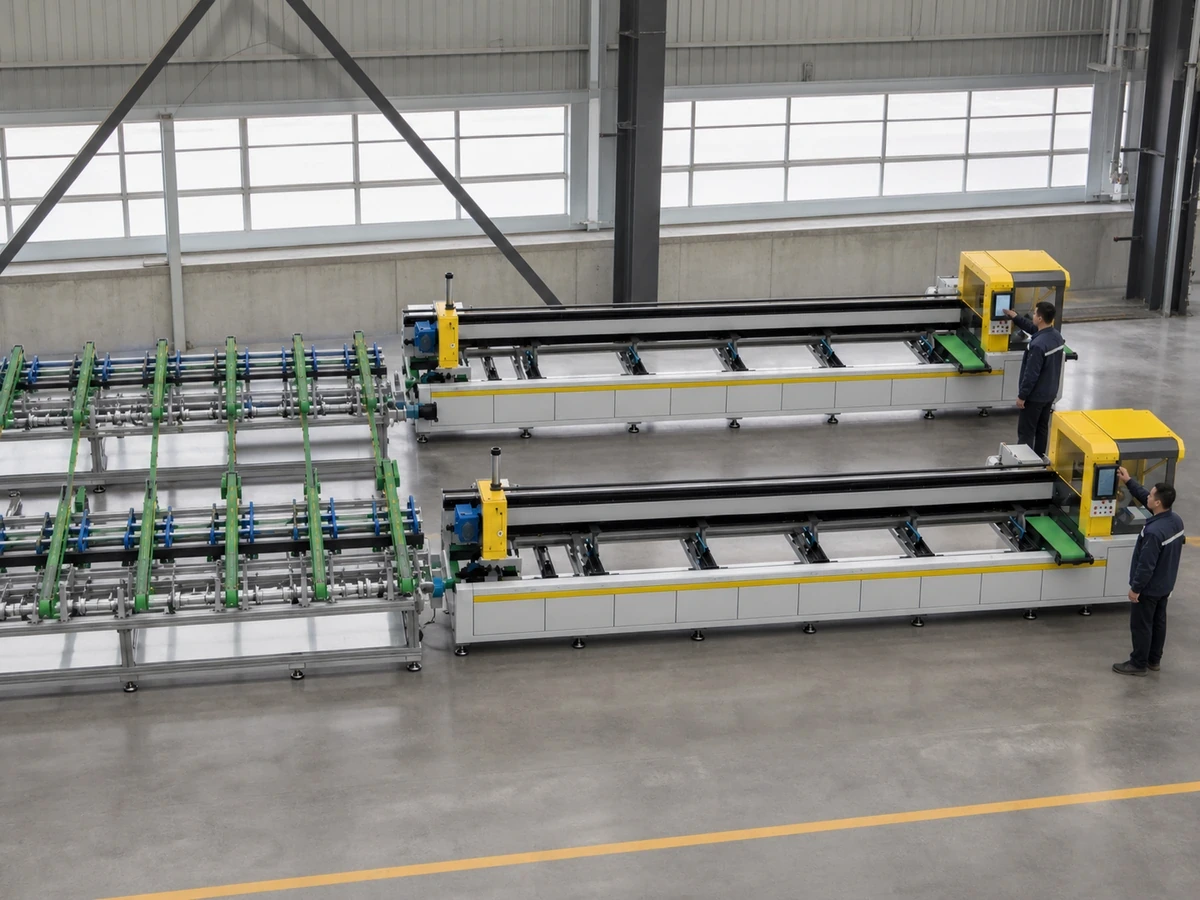
This is a purchasing and acceptance checklist for aluminum profile cutting. It does not prescribe an operating procedure or imply that a particular JiurunCut model has live-reload access, a stock-presence sensor, or an automatic recovery function. The featured photograph is a related loading-line view, not a record of the proposed configuration.
1. Aluminum saw magazine replenishment starts with named stock
Send the supplier a profile drawing for every planned family, the stock length range, cross-section, wall thickness, visible surfaces and the way bars arrive. State whether a delivery unit is a loose bar, a strapped bundle, a rack, or material from an upstream line. A count such as “ten bars” is incomplete unless it is tied to the actual length, section, mass, orientation and support arrangement. The proposal should show which physical stock format can be placed at the loading point and which preparation remains with your team.
Separate the planned magazine load from the replenishment job. Capacity is a stock-holding question. Aluminum saw magazine replenishment adds material delivery, presentation, operator access, recognition of a new load and the return to an accepted cutting state. Ask for a drawing that shows the boundary between your racks or lift equipment and the supplier’s quoted machine.
2. Draw the handoff states instead of asking only for a bigger magazine
Request a simple state diagram for the actual quotation. It should distinguish stock waiting outside the machine, stock available at the loading station, a bar transferred to the feeder, material still held in the cutting unit, accepted pieces at the output and an empty loading position. Those states can differ: an upstream magazine can be empty while a usable bar remains at the saw. Conversely, visible bars on a nearby rack do not prove that the feeder has an approved bar available.
For each transition, ask what the operator sees, what action is expected, who owns the next decision and what the equipment does if no bar is presented. The answer may depend on the configuration. Do not infer it from a photo, a model family name, or a general “fully automatic” label. Another manufacturer’s published system explicitly lists a profile-detection light barrier, illustrating why the detection point must be named in a proposal. That listing is not evidence that the quoted JiurunCut line contains the same device.
3. Specify the refill window and the access boundary
Ask whether the quoted loading area is replenished only after a controlled pause or whether some form of replenishment during production is offered for the exact layout. If concurrent replenishment is proposed, ask the supplier to identify the guarded zones, access conditions, permitted stock path and site responsibilities in its drawings and operating documentation. Have the buyer’s competent machine-safety team review those documents before acceptance. Do not treat a marketing phrase such as “continuous running” as permission to enter or reload a guarded area while motion continues.
Mark the practical route from the incoming stock rack to the machine: aisle width, lifting equipment, support height, profile orientation, protected surfaces and where a bundle becomes individually transferable bars. Ask who supplies each rack, transfer device and guard. A quotation for an automatic saw may include a powered feeder while leaving a loading magazine or upstream handling as a separate option. Published equipment ranges from other manufacturers show this difference; your purchase order should resolve it for the specific configuration offered.
4. Resolve the bar already inside the saw
The phrase “magazine empty” is insufficient to decide what happens to stock already clamped or positioned in the saw. Ask the supplier to show the material boundary at the instant the last magazine position is depleted: what remains in the feeder, what remains in the cutting area, and how the active cut list is accounted for. Do not equate a feeder signal with a finished part. A cut can require its own dimensional, surface and identity check before that piece is accepted.
The related bar-end sensor buyer checklist addresses the last-cut stop signal and residual length. This article addresses the separate supply-side task of bringing in the next approved stock load and returning the quoted line to an agreed production state.

5. Make the operator message and restart decision observable
Before acceptance, request a written description of the message or indication used when available stock is low, unavailable, incorrectly presented or awaiting confirmation. Ask whether these conditions are distinct from a stopped saw, an open guard, a feed fault or a completed job. Specify who can acknowledge each condition and which information is retained for the next shift. The supplier should demonstrate the actual configured interface; a generic control screen or sales video cannot establish the agreed behavior.
Define the restart evidence as carefully as the stop evidence. When an approved new bar is presented, how is the part program associated with that bar, and how are the first resulting pieces identified for review? If a shift ends mid-job, ask how the operator can tell which stock and finished pieces belong to the previous load. These are acceptance questions, not a promise that a machine automatically performs them.
6. Trial the replenishment boundary with representative stock
Arrange a witnessed trial using the profile families, stock lengths and job sequence that matter to your purchasing decision. Agree on the observable result for each case before the test. A useful trial checklist is below; the supplier should fill the response for the quoted configuration rather than relying on assumptions from another model.
- Normal planned load: Record which bars are ready for transfer and which are merely nearby. Settle the included rack, magazine and transfer scope.
- Last available magazine bar: Record the indication, remaining material location and cut-list state. Settle the depletion handoff.
- No new bar presented: Record the displayed state and machine response. Settle operator responsibility and no-stock behavior.
- Approved stock replenished: Record confirmation, stock identity and the first accepted piece. Settle restart and inspection handoff.
- Profile or lot change: Record identification and setup review before production resumes. Settle mixed-job and traceability scope.
Record hands-on replenishment time, machine waiting time, accepted output and any hold or rejected pieces as separate observations. If comparing two proposed magazine sizes, use the same representative profile mix and job list. A larger nominal bar count is useful only if its access, loading and restart route also meets the production requirement.
7. Put the supply and acceptance boundaries in the RFQ
Ask bidders for four deliverables: a marked stock-flow layout, a bill of supplied loading and support equipment, a state-and-responsibility description, and a witnessed trial plan with pass criteria. Include the buyer-supplied rack or handling equipment on the same drawing so that an omitted interface is visible before the order. If the plant requires a particular guarded access arrangement or shift procedure, request an engineering review and site-specific documentation rather than assuming that a standard line includes it.
Compare the complete alternatives: a smaller magazine with planned refill stops, a larger quoted magazine, or a separately engineered upstream buffer. Evaluate each against stock format, floor space, operator involvement, job changes, accepted output and the cost of the equipment actually included. The JiurunCut extrusion cutting line page presents a project-specific line direction; the final magazine and replenishment arrangement must be confirmed from your material and layout.
Watch a related saw feeding example
The following video is from Jiurun’s own machinery channel and shows an automatic aluminum saw with long stock on the feed side. It is an equipment example only. It does not demonstrate the magazine-refill boundary, a missing-stock signal, safe concurrent access, the final quoted model configuration or performance for your profile.
Send a refill-boundary RFQ
Send the JiurunCut team the profile and finished-part drawings, stock lengths, lot mix, expected bars per shift, current rack layout and the required handoff from stock arrival to the first accepted part after replenishment. Ask for a marked proposal showing included equipment, operator tasks, access assumptions and a test of the agreed states. That is more useful than requesting a magazine bar count alone.
Source and configuration note
Emmegi’s Automatica ER page describes an optional automatic bar loading magazine. Tekna’s TKE 802 page separates loading and unloading equipment and describes alternative magazine arrangements. Pressta-Eisele’s KS 650 listing names a profile-detection light barrier. These are examples of configuration choices at other manufacturers, not specifications or performance evidence for a JiurunCut machine. Confirm every proposed function in the actual quotation and trial.