
Standstill torque vs rated torque is a comparison of rating conditions. A quotation needs to retain the manufacturer’s torque label and its operating basis. Two entries expressed in N·m can describe different points rather than competing values for the same condition.
For an aluminum cutting-machine proposal, identify the motor and axis behind the entry. Then review the stated speed, associated drive and supporting document before treating one torque number as a complete motion-package specification.
Three checks for a readable offer
1. Read standstill torque vs rated torque by its label
Beckhoff’s AM8100 technical-data explanation distinguishes standstill torque M0 from rated torque Mn. It associates M0 with a stated low-speed range and rated ambient conditions.
The same document defines Mn at rated current and rated speed, with continuous S1 operation. These labels preserve different conditions in the motor data.
For another offered motor, use that manufacturer’s actual definitions. Retain the complete motor code and document reference so a reviewer can check the exact entry being discussed.
Ask the supplier to complete an abbreviated value such as “2 N·m servo.” The missing label should remain visible until the supporting data identify what the value represents.
Keep the original quantity when transferring data
If a document uses M0, retain that symbol with its explained meaning. If it reports a nominal or rated entry, retain that wording and the stated basis.
A spreadsheet can present the entries clearly without changing their technical labels. Use separate fields when the proposal includes differently named quantities.
The motor torque and power guide addresses a separate quantity relationship. A power entry belongs with its identified shaft and operating point; it does not remove the need to read a torque rating’s conditions.
2. Retain the operating basis behind the number
Ask for the speed and operating conditions attached to the actual manufacturer’s entry. Keep those fields beside the reported value in the quotation review.
Beckhoff’s named explanation also states that rated speed depends on the supply voltage in its documented arrangement. Preserve the relevant supply and speed basis when reading that manufacturer’s data.
For the actual proposed system, request the current motor-and-drive document set. Have the supplier identify the configuration used for its explanation rather than combining entries from unrelated documents.
Make a shortened comparison complete
A brochure headline may omit details that the technical sheet provides. Retain the headline as an introduction, then link the comparison line to the relevant data entry and its notes.
If the quotation is revised, check whether the supporting document still describes the offered component. A changed code can require a new review even when the price line keeps the same informal description.
Ask the responsible supplier to address the intended movement and production pattern. Provide a representative cutting task so the discussion concerns the actual equipment requirement.
Keep any application calculation identifiable as a calculation. Preserve its assumptions, configuration and reviewer rather than presenting it as a measured finished-part result.
3. Connect the value to the offered motion package
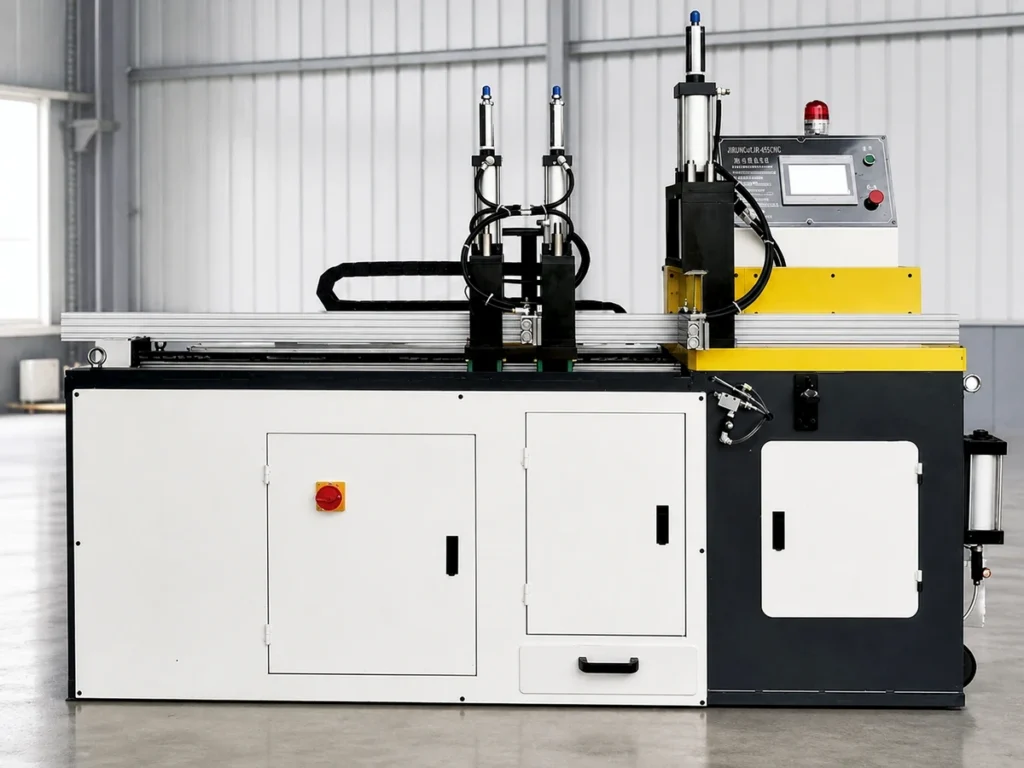
Name the movement in the proposal. A material-positioning axis, blade drive and another machine movement are distinct items; the supporting component record should identify which one it concerns.
Request the motor, associated drive and any included transmission or brake option as clearly named package items. Keep the supplier’s inclusion list with the quoted configuration.
The holding-brake guide covers a separate option review. Preserve that option’s own documentation instead of putting every differently purposed torque entry into one unlabeled column.
| Field | Entry to request |
|---|---|
| Component | Complete motor reference and associated package items. |
| Quantity | The manufacturer’s torque label, symbol and unit. |
| Basis | Applicable speed and documented rating conditions. |
| Support | Current document and supplier explanation for the intended movement. |
Use the worksheet to expose missing information. It is not a motor-sizing procedure, an electrical configuration instruction or a complete machine acceptance plan.
An original fictional comparison: two different headings
Imagine two offers for fictional axis A47. Offer A lists 2.0 N·m under M0. Offer B lists 1.6 N·m under Mn and names an associated speed.
The buyer cannot settle the comparison by selecting the larger of those two numbers. The headings differ, and the remaining rating conditions need to be retained before a like-for-like review is possible.
Ask each supplier for the relevant documented entries for its offered component. Keep unavailable data marked as unavailable; do not invent the other rating by applying a percentage.
Please identify the torque quantity and documented operating basis for axis A47. Retain the complete motor-and-drive references and provide the relevant technical entries. Explain how the offered package addresses the stated movement.
The invented values demonstrate a labeling issue. They are not Beckhoff ratings, JiurunCut specifications, actual test results or a recommendation for an installed axis.
Preserve the revision decision
If the supplier changes the motor or drive during review, retain the changed identities in the revised proposal. Ask which earlier supporting records remain applicable.
Keep the approved package description with the equipment file. That gives later service and spare-parts discussions a recognizable reference for the delivered arrangement.
Review the complete cutting task separately
Define representative material, cut requirements, handling sequence and agreed finished-part checks. Have the supplier state how the proposed configuration will be reviewed against that task.
A motor data field does not report an accepted-part output rate or cutting tolerance. Keep any production demonstration and its actual recorded results with their own material and configuration information.
Give the acceptance reviewer the current quote and supporting documents. Identify open component or application questions clearly so they can be resolved before the order decision.

Prepare a clear quotation request
Send JiurunCut the profile drawing and representative cut list. Include the intended movement and production sequence when requesting a motion-package explanation.
For a standstill torque vs rated torque question, attach the supplier’s original labels and available technical references. Ask for the missing conditions by name.
Does a larger unlabeled torque number settle the choice?
First identify the quantity, component and documented rating basis.
Can the fictional comparison size my motor?
Obtain the responsible supplier’s review for the actual task and configuration.