
CAD mass properties need a clear model and reporting scope before they accompany an aluminum RFQ. A number copied from a dialog should travel with the identity of the parts and settings behind it.
Imagine a fictional bracket enquiry. The buyer attaches a finished assembly model but requests only cut aluminum blanks. The mass summary has no part list, while the drawing set includes separate hardware.
The supplier first needs to know what the summary describes. A finished assembly figure and a blank-supply request can both be legitimate records, but they answer different questions.
Send a report that another person can interpret
- Identify the selected model and parts.
- Record the material and any entered mass value.
- State the manufacturing stage and purpose of the report.
On this page

Check 1: give CAD mass properties a defined part selection
Onshape’s Mass Properties Tool documentation explains that selected-part properties are added together. Applied material density is used in the calculation, and a part without assigned material is omitted from the mass calculation.
The same documentation permits users to enter a mass override and describes calculated results as approximate, with accuracy depending on geometric complexity.
Those tool-specific behaviors explain why a reported number needs context. They are not a statement about the settings of every CAD application.
Ask the model author to identify the parts included in the reported selection. Keep a part list with the report rather than relying on an unlabelled screenshot of the final number.
For the fictional bracket enquiry, identify whether the reported item is one bracket, an assembly with hardware, or a set of blanks. Give that boundary a short, explicit description.
Use the controlled model and drawing references to identify the item. A file’s convenient display name may not provide the revision needed by the order review.
Retain quantity as a separate field. A mass report for one component does not state how many components the supplier is being asked to deliver.
Where several configurations are supplied, name the one used for the report. Avoid sending a summary that the supplier cannot connect to an identified design variant.
Check 2: record the assigned material separately from the purchase requirement
Ask the model author for the material assignment associated with each reported component. If any assignment is incomplete or unresolved, retain that observation with the report.
Keep the model’s material description and the specified purchasing material in separate fields. The reviewer can then see whether they refer to the same controlled requirement.
An entered library name does not establish the alloy, temper or condition of an actual delivered blank. Request the material identification and evidence required by the order.
For a mixed assembly, list the components by their actual role. Aluminum brackets, bought-in fasteners and other included items should retain their own controlled references.
If a custom assignment has been used, identify its source and reviewer. Record the model assumption instead of presenting it as a certificate for supplied material.
When a supplier proposes different stock, compare that proposal with the released material requirement. Do not alter the purchase description merely to make the CAD summary and quotation look consistent.
Our aluminum profile-weight guide organizes geometric and material inputs for a stock estimate. A model report should preserve its own inputs and stated scope.

Check 3: identify whether a mass value was entered
Ask whether the reported mass came from the geometry calculation or an entered override. Record the answer explicitly beside the value.
If a value was entered, ask where it came from and which item it represents. The supporting reference might describe a bought-in component or another separately documented item; retain the actual scope.
Keep a supplied value’s original label. Do not call an entered catalog figure a weighing result unless the supporting record actually identifies a measurement.
Likewise, do not relabel an actual measured value as a geometry calculation merely because it has been entered into a CAD field. The source of the number remains part of its meaning.
Record who supplied the value and which reference supports it. This gives a later reviewer a way to resolve an unexplained difference without guessing why the model author entered it.
For the fictional assembly, a useful report could list a separately documented hardware value alongside the aluminum-component calculation. It must identify both entries and what they include.
No mass values are supplied in this fictional case. The purpose is to make reporting provenance visible, not to provide a completed assembly calculation.
Check 4: retain the calculation status and original result
Onshape’s documentation says its calculation-variance display adds lower and upper bound information without changing the underlying computation. Preserve that information when it is part of the supplied report.
Retain any relevant warnings and unresolved model assumptions in the handoff. A cropped image showing only the final digits may hide the detail the next reviewer needs.
Keep the result’s quantity and units together. Mass, volume, area and other report entries should retain their original headings rather than being merged into a column called properties.
Identify the purpose of the report: preliminary material planning, a model check or a comparison with a separate receiving record. Agree what evidence is needed for the actual purchasing decision.
Extra displayed decimals do not turn a model summary into a physical test. Where actual delivered mass is required, retain the corresponding identified measurement record.
A difference between a model report and another record calls for a review of their scope and inputs. Avoid attributing it to one machine, supplier or process before the records are comparable.
A clearer handoff for the fictional bracket enquiry
The buyer can organize the package as a small report with four labelled sections. Each section answers a different question in the supplier’s review.
| Section | Information to retain |
|---|---|
| Model identity | Part references, revision and selected configuration. |
| Report scope | Included parts, quantities and manufacturing stage. |
| Value provenance | Material assignments, entered values and their sources. |
| Review status | Original output, units, notes and unresolved questions. |
For blank supply, also state the requested blank geometry, quantities and downstream work. Keep the finished assembly model as a referenced design document without implying that every assembly item is part of the blank order.
Our machining-allowance guide helps distinguish blank and finished-part requirements. That stage should be clear in both the RFQ and its supporting mass summary.
Keep packaging outside a component-only report unless it is explicitly included. Our gross and net weight guide addresses package records as a separate reporting task.
If the requested scope changes during quotation, revise the controlled enquiry and identify the change. Ask for any corresponding report update rather than silently reusing the earlier summary.
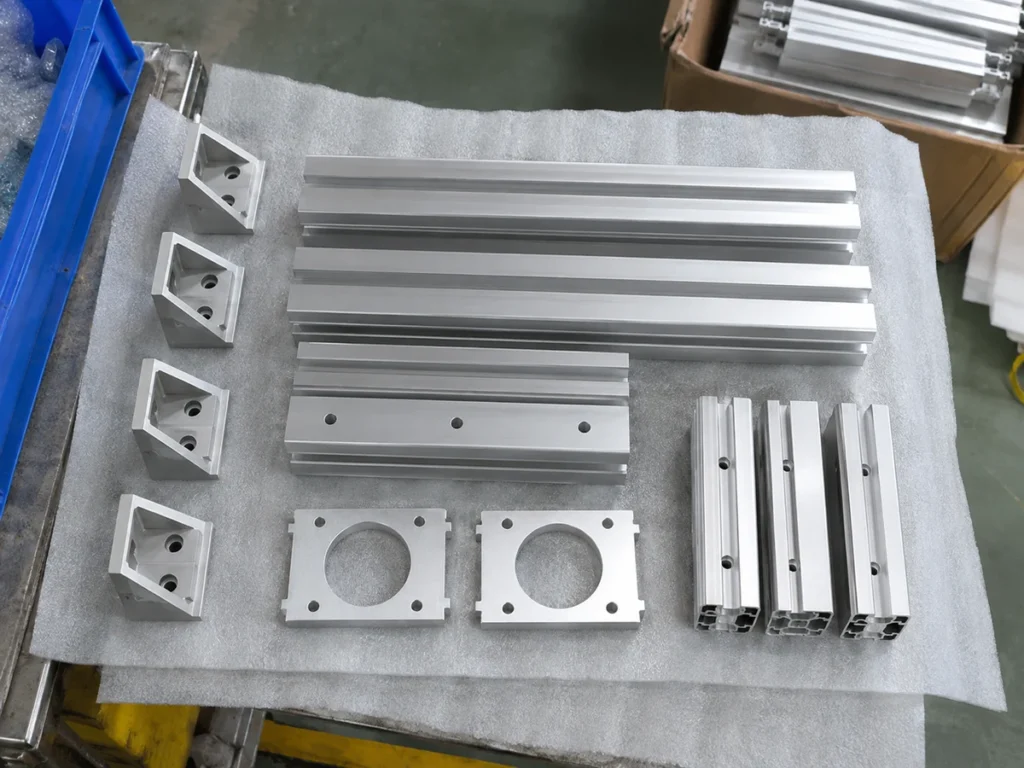
Before sending the package
Confirm that the supplier can identify the requested stock and the parts covered by the report. Check that material assumptions and entered values are visible and that the named revision matches the enquiry.
For a machine review, provide the actual stock drawing, lengths and required cut pieces. The equipment supplier needs the complete handling and cutting requirement; a mass summary is one supporting record.
Send the drawing with an interpretable model report
Ask JiurunCut to review your actual stock and cutting requirements. Keep CAD mass properties connected to the selected parts, model assumptions and supply stage so the enquiry starts with a clear description.