
STEP vs STL matters when an aluminum part’s shape moves from a design system to a supplier. Both files can show a recognizable object. The important question is what geometry the receiving application has actually opened and whether that geometry supports the requested review.
Start with the original design data when it is available. If only a mesh remains, identify that limitation before someone treats a converted file as a complete manufacturing definition. This guide follows four checks: representation, intended use, conversion and the receiving result.
STEP vs STL begins with the geometry representation
The Library of Congress description of STL explains that it represents an object’s surface as triangular facets. Both ASCII and binary versions use this mesh approach. Curved surfaces may need many triangles to represent their shape adequately.
The Library’s separate STEP-file description identifies a structured product-data exchange format governed by schemas and application protocols. Receiving software needs support for the relevant content to interpret it. The extensions .step and .stp are commonly used for these files.
These definitions are a starting point. They do not make every STEP file a suitable solid model or every STL file unsuitable for useful work. Inspect the actual delivered geometry in the intended receiving system.

1. Ask what data produced the visible shape
A smooth-looking viewer image is a presentation of the file. Ask the reviewer to identify the imported representation, including whether the part is a mesh, surface body or solid body. Do not substitute a screenshot for that receiving-system check.
When a designer can supply an agreed export directly from the original model, request that export for the supplier’s geometry review. Name the intended receiving application and any export requirements the supplier has confirmed. Avoid asking for an arbitrary format simply because another supplier used it once.
If the only available file came from a scan, downloaded mesh or earlier tessellated export, say so. That origin gives the reviewer useful context for deciding what further interpretation is required.
Keep the geometry question separate from the released production requirements. Our STEP versus PDF guide covers the roles of models, drawings and annotations. Here, the first concern is the representation of the shape itself.
2. Match the representation to the actual question
Tell the supplier which feature must be reviewed. A general visual discussion and a manufacturing review of a curved interface are different requests. The recipient should explain what the supplied representation lets them assess and which questions remain unresolved.
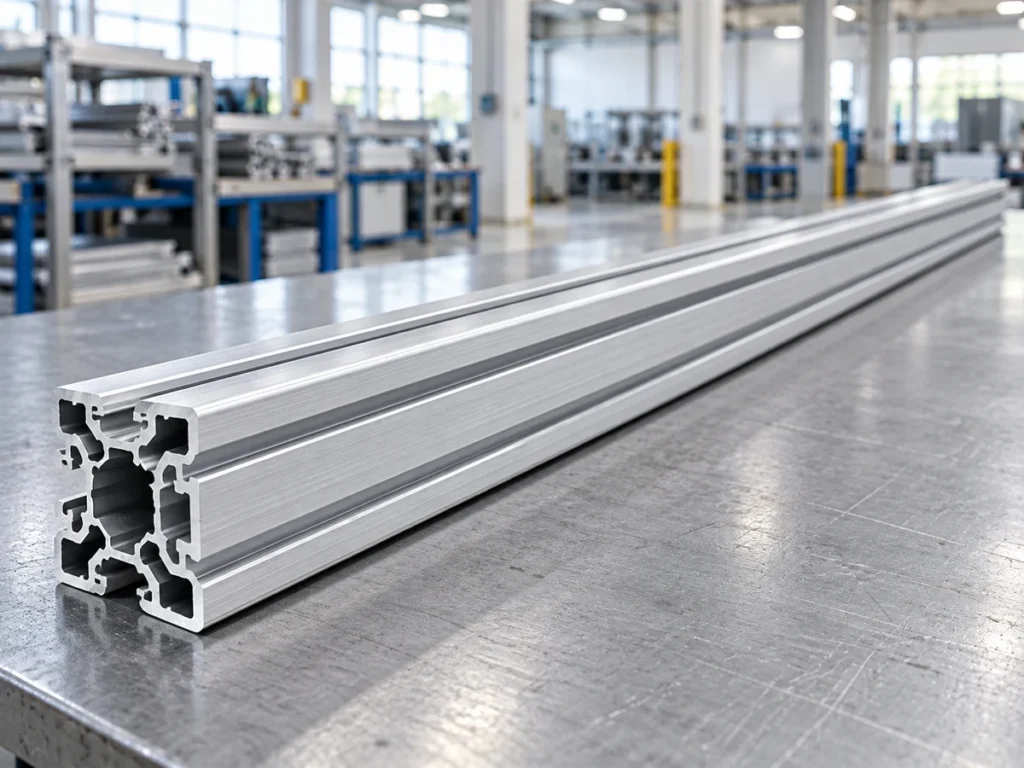
For a hollow aluminum section
Mark the section location and the walls, cavities or external surfaces relevant to the proposed cutting review. If the model includes an entire frame, identify the individual member being discussed. Otherwise, the reviewer may spend time on unrelated assembly geometry.
A visible cavity helps explain the design, but its appearance alone does not establish the released wall dimensions. Keep the approved section requirements available alongside the geometry review.
For a part with a curved interface
Identify the particular bore, curved edge or mating surface. Ask whether the delivered file carries the representation needed for the agreed review. If a mesh is involved, make its status explicit rather than describing it vaguely as the original CAD model.
Do not decide suitability from file size or a count of visible triangles. Ask for a conclusion tied to the feature and intended task. The reviewer should state any unresolved geometry requirement before the order proceeds.
3. Treat conversion as a separate technical step
Changing a filename extension does not perform a geometry conversion. Use a documented conversion process where one is needed, and have its result reviewed for the intended application.
Autodesk’s Fusion mesh-conversion guidance describes converting imported STL or OBJ mesh data into a solid or surface body. Its workflow also discusses face groups and warnings for meshes containing holes. A conversion therefore involves more than naming the output STEP.
For purchasing, request a short conversion record: the input file, the responsible reviewer, the output file and any changes or unresolved warnings. The record should make clear whether someone repaired, reconstructed or otherwise changed geometry.
A conversion is not evidence that the original design intent has been recovered. Ask the responsible design owner to approve any reconstruction that affects the production definition. Keep assumptions visible until that review is complete.
A fictional handover problem
Imagine an invented bracket inquiry contains a mesh named P-18.stl. A second attachment is named P-18.step, with a note saying it was converted. Both previews look similar.
The useful response asks what representation the second file contains, what conversion occurred and which curved interface was checked. It does not declare the second attachment approved because its extension changed. This is a teaching scenario, not a customer case or test result.
4. Review the actual import before accepting the package
Have the supplier open the supplied export in the application intended for the review. Ask them to identify the part, representation and relevant feature in that imported result. A successful file-open message alone does not answer whether the required geometry is usable.
- Part identity: confirm that the intended component is present.
- Representation: record how the receiving application identifies the geometry.
- Feature scope: mark the surfaces or section involved in the quotation.
- Pending items: list any repair, interpretation or design decision still required.
Keep this record short enough to read beside the quotation. The aim is a clear statement of what was reviewed, rather than a long collection of software screenshots with no conclusion.

Buyer questions about STEP vs STL
Does a larger STL automatically provide an approved model?
No approval follows from size alone. Ask whether the actual representation meets the stated review purpose and whether the production requirements are complete.
Is a converted STEP file always the original design model?
No. Identify the conversion and its reviewed result. Keep any reconstruction and remaining assumptions with the responsible technical review.
Does either format establish direct import into a JiurunCut saw?
The extension establishes no controller capability. Confirm the quoted machine’s interface, software and validation workflow separately.
For an aluminum cutting inquiry, send JiurunCut the applicable section and cutting requirements. Explain the available model’s origin and intended role. A clear STEP vs STL discussion helps the receiving team identify the next useful check.