
After the cut, an aluminum saw VFD overvoltage trip appears while the blade is slowing. That timing is useful evidence, but it is not a diagnosis. On an aluminum saw actually fitted with a variable frequency drive (VFD), an overvoltage trip during deceleration may involve energy returning from the rotating load to the drive’s DC bus. The same displayed word can have different meanings across drive families. Before changing a parameter or ordering a braking resistor, establish exactly which drive, fault code and stop command are involved.
Record the stop event before touching a setting
Write down the drive maker and model, the full fault code, when the alarm appears, what stop was requested and whether the symptom repeats in an ordinary guarded cycle. Note the blade and tooling fitted, the configured operating speed, and any recent drive or machine changes. A fault during normal cutting, a fault only on stopping, and a fault at power-up call for different checks. Ask the controls technician to compare the record with the actual drive manual rather than translating a generic alarm label into a universal remedy.
If the fault happens only after a stop request, establish whether that command is a controlled ramp, a coast stop, an emergency stop or a machine-specific sequence. Do not assume that pressing two different stop controls invokes the same drive behavior. For the purchasing team, capture this distinction in the supplier question: which stop mode is fitted and what stopping time has been accepted for this guarded machine?
Why an aluminum saw VFD overvoltage trip can follow deceleration
A rotating saw blade and motor store mechanical energy. During some controlled deceleration modes, the motor can return energy toward the drive. If the drive cannot manage that energy within its DC-bus limits, it may trip. Schneider Electric’s VFD guidance identifies an overly short deceleration ramp and a high-inertia load as possible contributors to DC-bus overvoltage. This explains a mechanism; it does not identify the cause on a particular Jiurun saw.
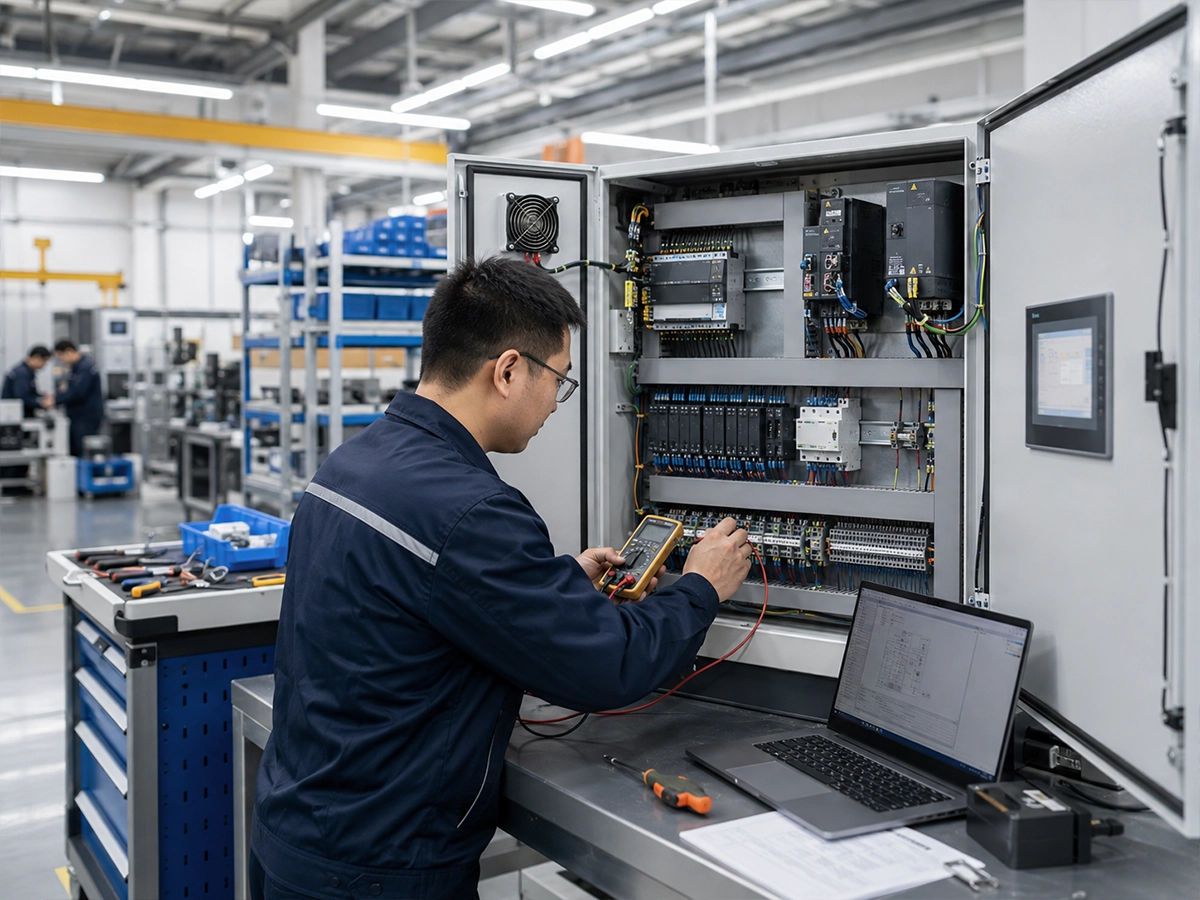
The technician should also distinguish a genuine deceleration event from an incoming supply problem or an incorrectly interpreted fault history. The relevant drive manual decides which readings and history fields matter. Do not probe a live cabinet or DC bus as an operator task. Electrical isolation, stored-energy discharge time and qualified-person procedures are specific to the installed drive and site rules.
Separate a useful correction from an unsafe shortcut
Increasing the deceleration time can reduce regenerative demand on some drives, but it also changes how long the blade remains in motion. That is a machine-safety and production decision, not merely a drive setting. Do not lengthen the ramp until it seems to stop tripping and then assume the machine is acceptable. The permitted stop time, guard access and emergency-stop function must be reviewed against the machine design and the site’s risk assessment. Our separate guide to blade coast-down time focuses on access after motion stops; the issue here is the drive fault during a commanded deceleration.
Nor is a braking resistor a universal bolt-on cure. The ABB ACS355 manual lists several possible overvoltage causes, including deceleration time and model-specific braking hardware. By contrast, Schneider says its ATV212 cannot take an external braking resistor. Those are examples from other makers, not Jiurun configuration claims. If a resistor or chopper is proposed, require the exact fitted-drive compatibility and approved engineering scope. Our braking-resistor purchasing guide addresses what to include in that offer.
What evidence should close the fault?
Agree on an acceptance test before any authorized change. The record should include the original code and stop condition, the drive and machine manuals used, the change made, and a repeat of the normal guarded operating cycle at the approved speed and tooling. Confirm that the deceleration fault no longer appears and that the blade stops within the machine’s approved time. Check the applicable safety functions separately; a fault-free drive display alone is not a guard-access approval.
If the issue appears only on certain programs or after a blade change, preserve those conditions in the test. A single unloaded stop may miss the production symptom. If supply events are suspected, the qualified controls team should document them with the site’s approved methods and compare the evidence with the drive’s fault history. Keep raw observations separate from a proposed cause so the next shift or supplier can review the reasoning.

Watch a related saw, with the evidence limit clear
This video from Jiurun’s own channel shows an aluminum saw operating. It provides general equipment context. It does not display a VFD overvoltage fault, prove a deceleration setting, identify the drive in the pictured machine or validate a stopping time.
Send the supplier a fault record, not a guessed part number
For a saw support request, send the machine identification, fitted drive identification, exact alarm and timestamp, stop command, operating speed, recent changes, applicable manual references and any safe fault-history export. Ask the supplier to state which component and parameter set actually belongs to the supplied configuration, what stop-time limit applies, and how they will demonstrate the correction under guarded production conditions. This prevents a vague “overvoltage” report from becoming an unsupported resistor order or a longer blade run-down.
If you are specifying a new aluminum cutting station, include the required normal stop, restart and guarded-access sequence in the RFQ. Compare the proposed drive and braking arrangement with that operating requirement rather than treating a single catalog feature as proof of safe, repeatable stopping. Jiurun can review the application and the exact machine configuration when you provide the cut profile, blade, cycle and access requirements.