
A filter mat darkens quickly beside a busy cutting line. The next maintenance request may say “replace the fan,” although nobody has identified where the cabinet takes in air or what was actually fitted. For an aluminum saw cabinet fan filter, the first useful record is the installed cooling path: enclosure identity, inlet and outlet, filter element, fan or cooling unit, and the conditions under which the symptom appeared. That record lets the buyer order the correct service item and lets qualified maintenance staff test the right fault.
Which aluminum saw cabinet fan filter is actually fitted?
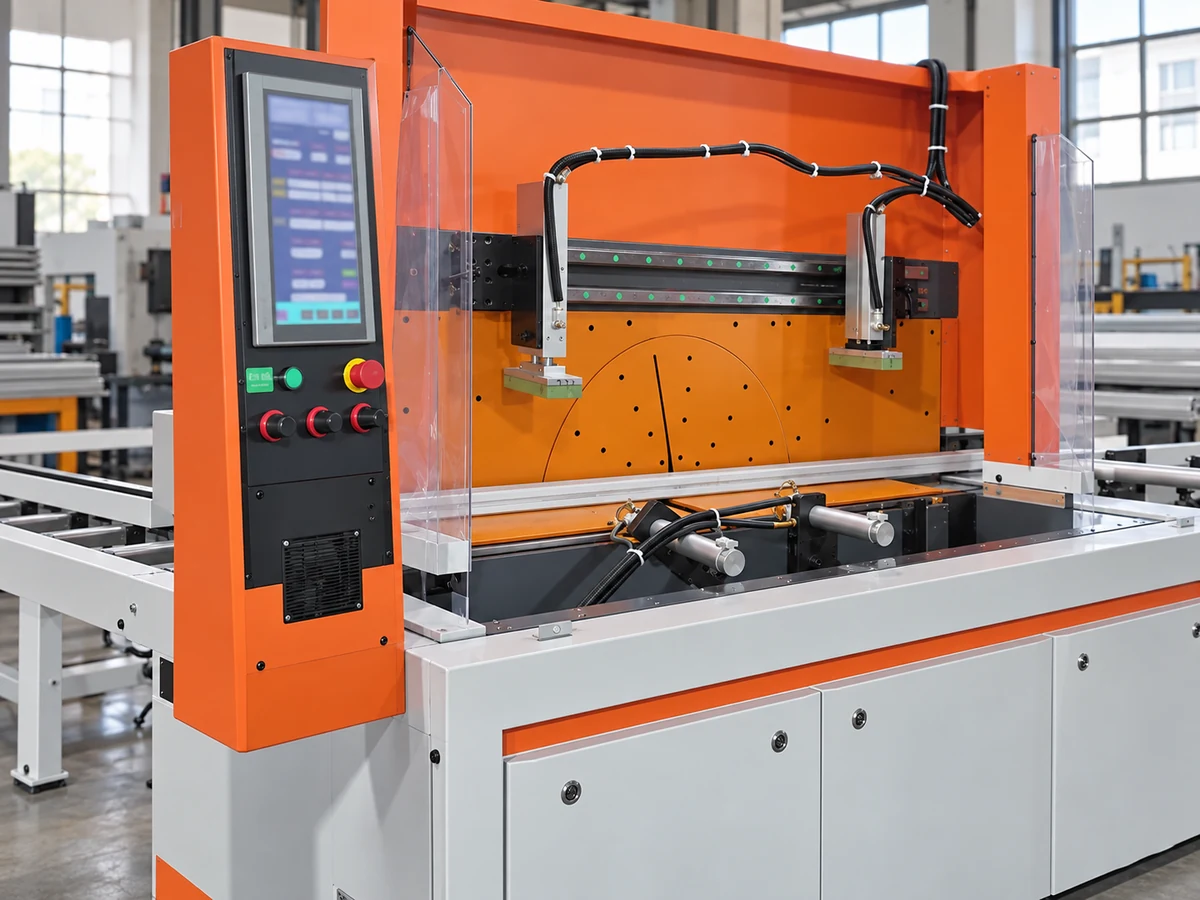
Ask the supplier or maintenance owner for the electrical drawings, enclosure and cooling-component identification, and the as-delivered service instructions for the specific machine serial or revision. A catalog image of an aluminum saw cannot establish that its electrical cabinet contains a fan-and-filter unit. Some cabinets use filtered ventilation; others use a separated-air heat exchanger, an air conditioner, or another arrangement. The decision about a filter mat only makes sense after the installed arrangement is identified. Our cabinet cooling discussion explains why separating air paths and removing heat are separate questions.
For a ventilated cabinet, mark the actual intake, exhaust, fan direction and any replaceable mats on a copy of the supplier drawing. Photograph the component labels and the closed enclosure from outside. If access requires opening an electrical enclosure, follow the machine maker’s isolation procedure and use qualified personnel; a buyer’s inspection should not become an improvised live-electrical check. The electrical-cabinet handover guide covers the records worth obtaining when a saw is delivered.

Record the symptom before choosing a spare
Write down when the concern first appeared: during startup, after several cutting cycles, after a filter change, in a hotter shift, or after a cabinet door was left open. Preserve the exact drive or control alarm text, timestamp, ambient conditions, and a photo of the external filter face if one is visible. Avoid turning “cabinet feels warm” into a temperature failure claim; compare measured values with limits in the installed component documentation. A single alarm label also does not prove that the fan motor is defective.
Follow the path from the outside: is the intended intake clear, is the exhaust blocked by stock, packaging or a new wall position, and is the filter element the type specified for this enclosure? These are observable questions for the site team and supplier to resolve. If the cabinet uses a closed cooling unit, a fan-and-filter spare may be the wrong purchase altogether. A change in ambient heat load or cabinet contents can also make the original arrangement inadequate even when a fan turns.
Schneider Electric’s enclosure guidance says filters, fans and heat exchangers require condition checks, while its drive-enclosure service instructions make filter maintenance and electrical isolation specific to the installed equipment. Rittal’s fan-and-filter instructions likewise identify an airflow direction and require the rotor to be stationary before filter replacement. Those maker instructions are examples of why the exact installed manual matters; their intervals, parts and access steps are not specifications for an unverified Jiurun saw.
Separate filter loading, fan function and heat-removal duty
Three different findings lead to three different handoffs. A loaded or damaged mat calls for confirmation of the approved replacement element and its seating. A fan that does not operate when its control should call for a qualified check of the fan, its supply and its command path. A cabinet that remains above its documented limit despite a clear air path calls for a review of ambient conditions, actual internal load and the approved cooling design. For an aluminum saw cabinet fan filter, the site should not substitute a higher-flow fan or remove the filter simply because the enclosure seems hot: either change may alter dust protection, airflow balance or the maker’s approval basis.
Do not treat a filter’s color alone as a pass or fail criterion. Compare the visible condition, any differential-pressure or fan-status indication actually provided, and the maker’s replacement guidance. Record whether the proposed service restores the documented arrangement. If a dustier environment caused early loading, capture that operating condition for the supplier; simply shortening a calendar interval without identifying the source may hide a design mismatch.
What should the service-part request contain?
The useful purchasing record ties a spare to the installed machine rather than to a generic fan size. Include the machine serial or order reference; cabinet and cooling-component label photos; drawing revision; current filter or fan part identifier; maker-approved substitute policy; quantity per enclosure; access restrictions; and the required delivery date. Ask the supplier to confirm whether the quoted item is a mat, a complete fan-and-filter assembly, an outlet filter, or a different cooling-unit component. Clarify whether the order includes seals, grille, mounting clips and any disposal or service labor needed for the actual job.
For acceptance, define what evidence closes the work order. A qualified technician can document the installed part, closed-door condition, fan or unit response under its actual control logic, alarms cleared, and monitored cabinet values under a representative production period. The site and supplier should agree the applicable limit from the machine and cooling-component documentation. An unloaded test with the door open does not reproduce the same thermal or airflow condition as a guarded cutting shift.
The maker’s enclosure-protection rating and cooling performance depend on the complete installed assembly, not merely the fan’s nameplate airflow. A mat of the wrong form or an unapproved omission can change the protective arrangement. Rittal’s fan-and-filter instructions explicitly tie the filter choice to the designated protection category and approved arrangement. Schneider Electric’s drive-enclosure service instructions illustrate why maintenance steps and replacement parts must be read from the specific equipment documentation.
Use a witnessed machine run to close the question
A short equipment video can help a buyer identify the kind of saw and production cycle to discuss, but it cannot prove cabinet temperature, filter condition or fan configuration. The following clip is from Jiurun’s own YouTube channel and shows an automatic aluminum saw and feed path. It is a general equipment illustration, not a test of the cabinet in this article or a performance claim.
When the actual unit is available, arrange a witnessed run with its normal guarded doors closed and a representative cutting schedule. Capture the cabinet-related readings or alarms that the maker documents, plus the time, ambient condition, material program and service action. If a fault recurs, preserve the evidence before another part is changed. If it clears, keep the before-and-after record with the machine’s maintenance history; that record supports the next service decision better than a standalone claim that “a new fan fixed it.”
Send a precise question to the supplier
Send the machine identity, enclosure drawing and cooling-component photos, observed symptom, operating context, and proposed acceptance condition. Ask: “For this installed saw and cabinet revision, which cooling path and service parts are approved, and what observed result will confirm normal operation after service?” The supplier can then answer for the real configuration. If the machine is still being quoted, request the cooling arrangement, service access and replacement-part scope in the offer before committing to a generic spare list.
Contact JiurunCut with your saw model or quotation reference, cabinet photos, available drawings and operating conditions. We can help identify the questions that should be answered for the offered or installed configuration; any filter, fan and acceptance limits require confirmation from that unit’s documentation.
Source basis: Rittal fan-and-filter instructions; Schneider Electric drive-enclosure maintenance instructions; Schneider Electric enclosure cooling-unit maintenance guide. These are manufacturer examples for the decision method, not Jiurun product specifications.